
How to Use the Battery Retaining Strap to Secure the Rear Orox Battery
There is a potential issue of Bosch PowerPack Frame batteries that may cause them to come loose at certain mounting angles. This issue stems from the interaction between the Bosch PowerPack Frame battery, a third-party battery lock, and the battery’s mounting angle on the bike frame. It is not specific to Tern bikes. After a thorough review, we found that the rear battery position on the Orox could be affected.
For your safety, we’ve designed a Battery Retaining Strap specifically for the Orox’s rear battery.
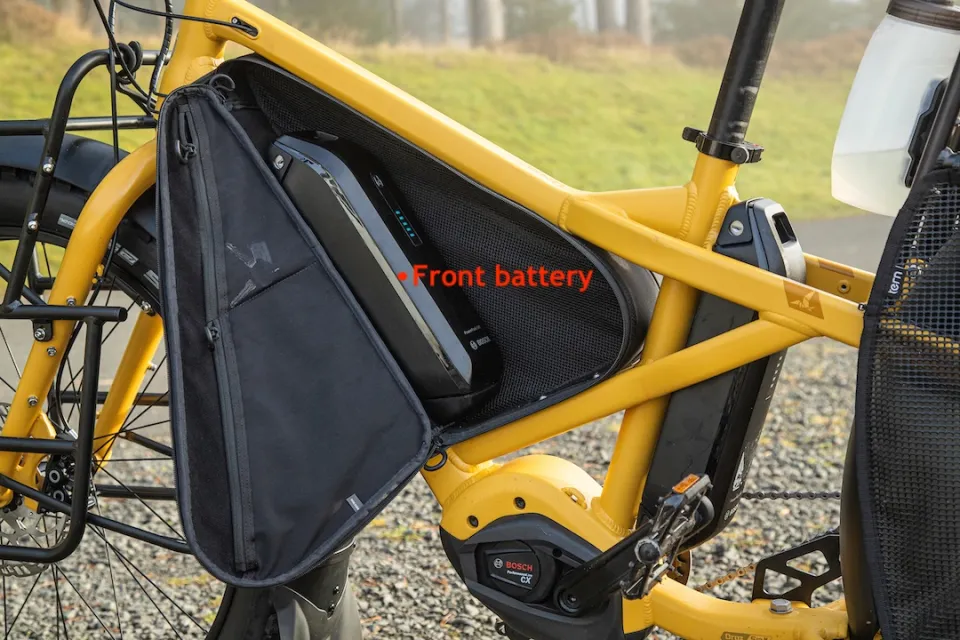
This article guides you through how to use the Orox Battery Retaining Strap.
Prefer videos? Watch the full step-by-step demonstration here.
Instructions
Step 1:
Remove the rear battery.
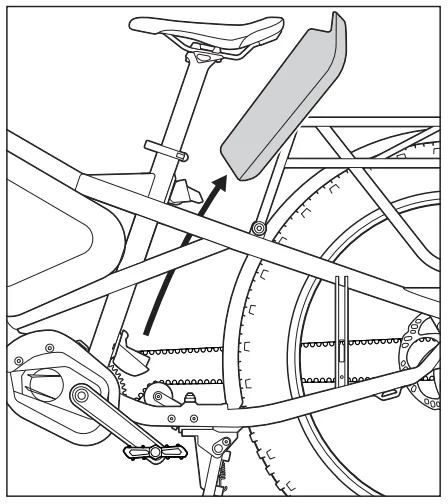
Step 2:
Loop the long tail of the Retaining Strap through the front side of the seat tube. Locate the matching self-fastening strips, and press together to fasten.
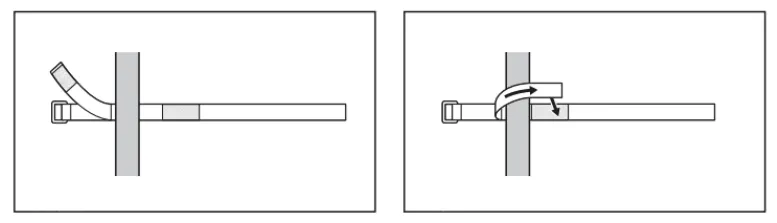
Step 3:
Securely mount the rear battery, making sure it locks in place. Adjust the Retaining Strap position so it sits where the seat tube meets the frame support.
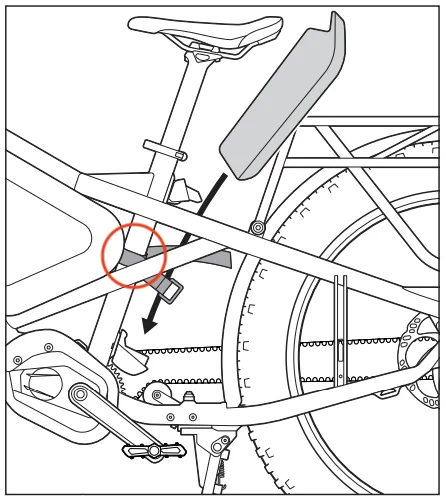
Step 4:
Wrap the long tail of the Retaining Strap around the battery, and insert the end into the buckle. Pull to tighten, and press the self-fastening strips together to securely fasten.
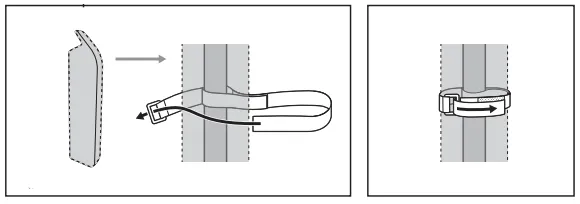
Step 5:
Check to ensure the Retaining Strap is secured in the correct position.
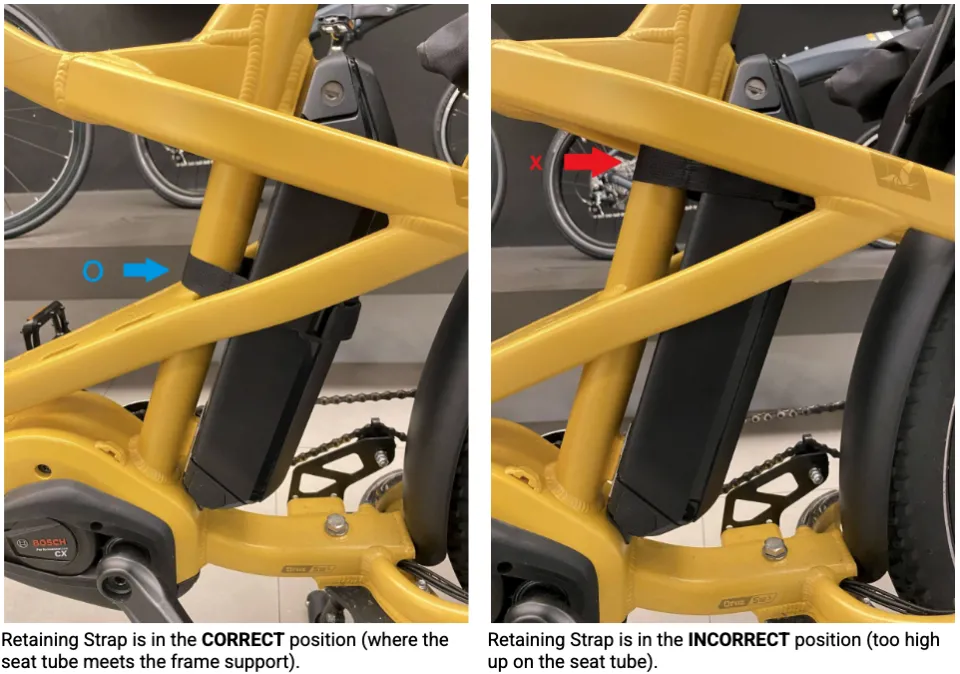
To secure the unused Retaining Strap
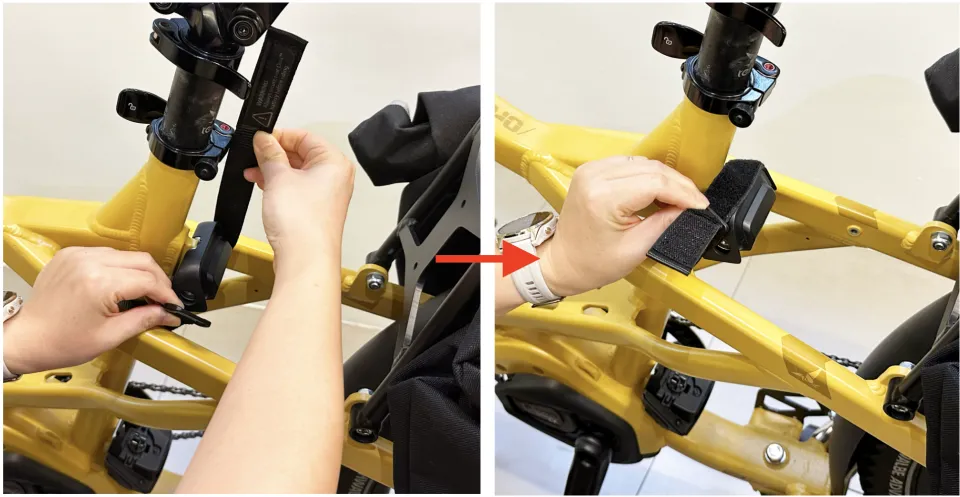
When only the front battery is mounted on your Orox, ensure the unused rear battery Retaining Strap is secured to the rear battery mount. Here’s how:
- Pull the long tail and the buckle piece upwards, toward the saddle.
- Bring the long tail over the battery mount, and insert the end into the buckle. Pull to tighten, and press the self-fastening strips together to secure.
Download here: Orox Battery Retaining Strap manual