
Customizing 3X3 NINE on the Tern HSD S9i | Tern Bicycles
The 3X3 NINE combines a sealed gearbox with Bosch eShift for fast, precise electronic gear changes. Wireless shifting eliminates the cable between the shifter and control system for a cleaner cockpit while ensuring consistent shifting performance without cable stretch or friction. Both the HSD S9i and S9i Sport feature the 3x3 NINE.
Automatic downshift
One of the most useful Bosch eShift features on the 3X3 NINE is auto downshift. As the bike slows to a stop, the gearbox automatically shifts to a preselected starting gear. This is especially helpful in stop-and-go city riding and when carrying cargo or passengers.
Changing the starting gear
The default auto downshift setting returns the gearbox to gear 4, providing a balanced starting point for most riding situations. However, this setting can be easily customized using the 3x3 Servicetool.
Before you begin
To change the automatic downshift starting gear, you'll need:
A Bluetooth-enabled computer
The e-bike powered on and within Bluetooth range of the computer
Step 1: Connect the 3x3 Servicetool to your bike
1. Visit the service tool page on the 3x3 website and click Connect. https://service.3x3.bike/
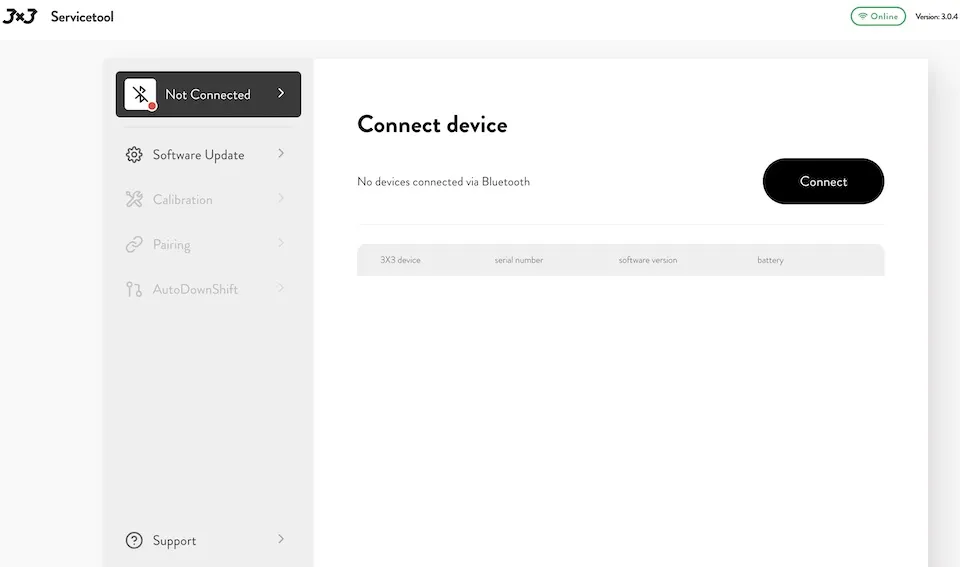
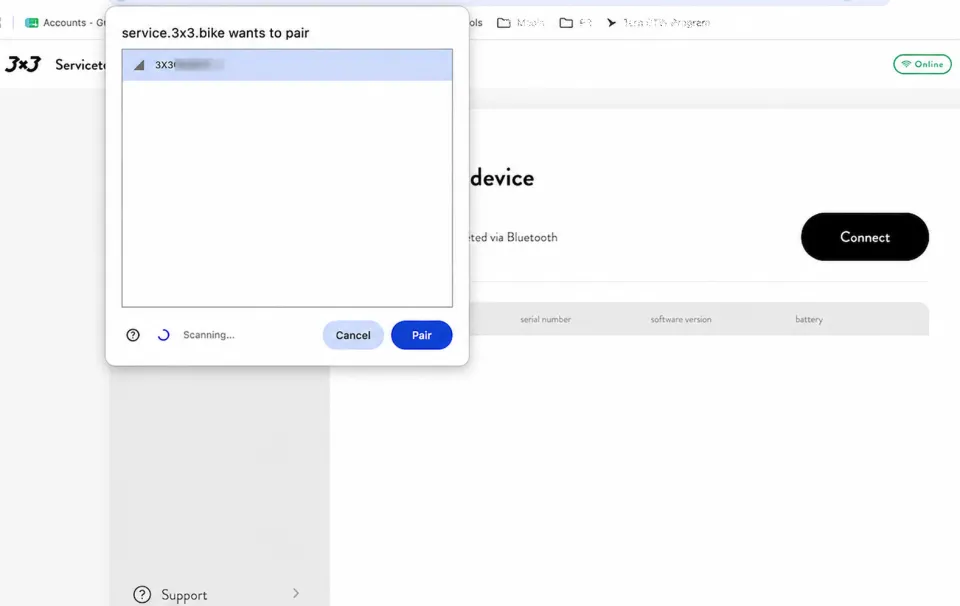
2. The page will activate a Bluetooth search. Once the bike is identified, a pop-up should appear showing the bike's ID number. Click Pair to establish a Bluetooth connection.
Step 2: Select your preferred starting gear
Once connected, a menu will appear on the left side of the screen.
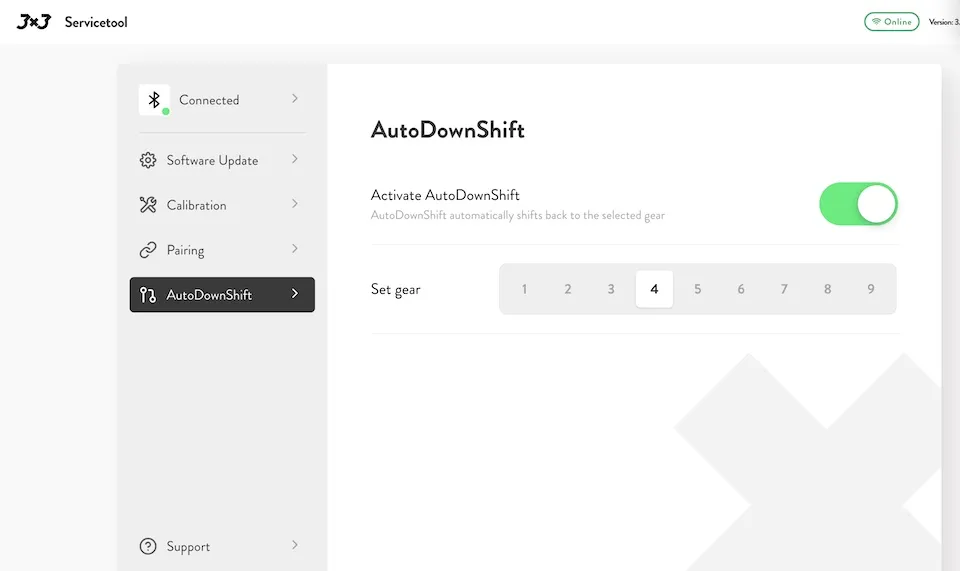
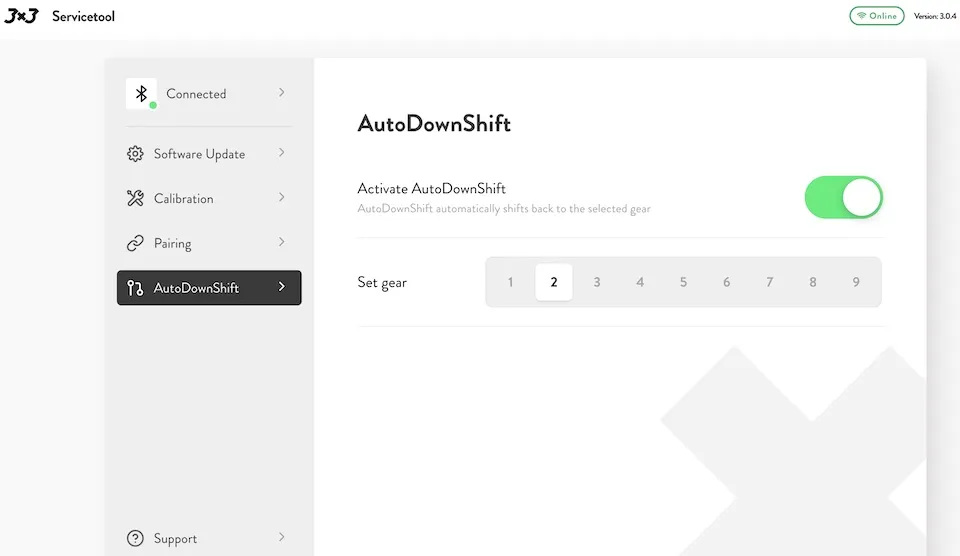
- Select the AutoDownShift tab
- Make sure the CheckboxToggle.vue is toggled to the on position
- Select your preferred starting gear from the Set gear menu. The default starting gear is 4th gear.
Step 3: Save your settings and exit
Click the Connected tab and select Disconnect.
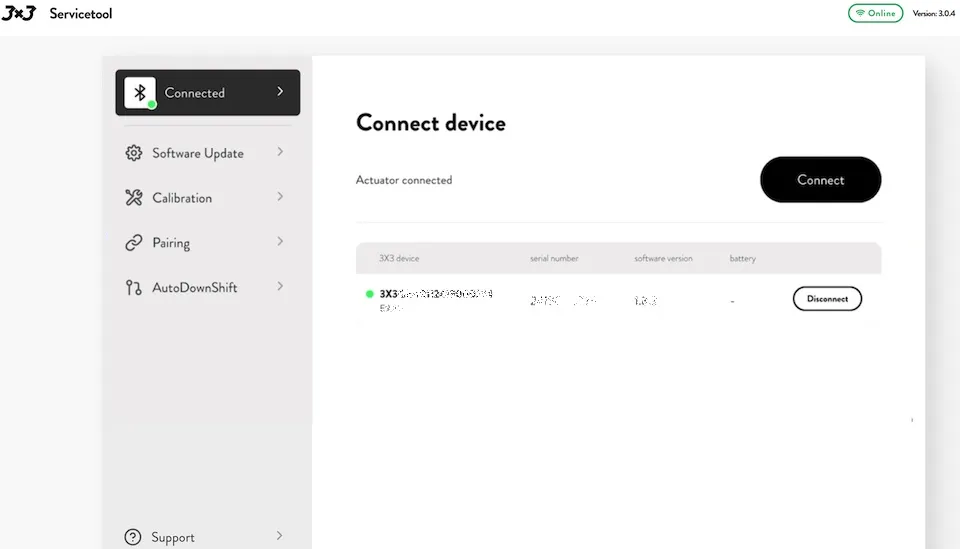
Disconnecting saves your new auto downshift setting to the bike. If you'd like to verify the change, simply reconnect to the bike using the same process. Open the AutoDownShift menu again and confirm that your preferred starting gear is displayed.
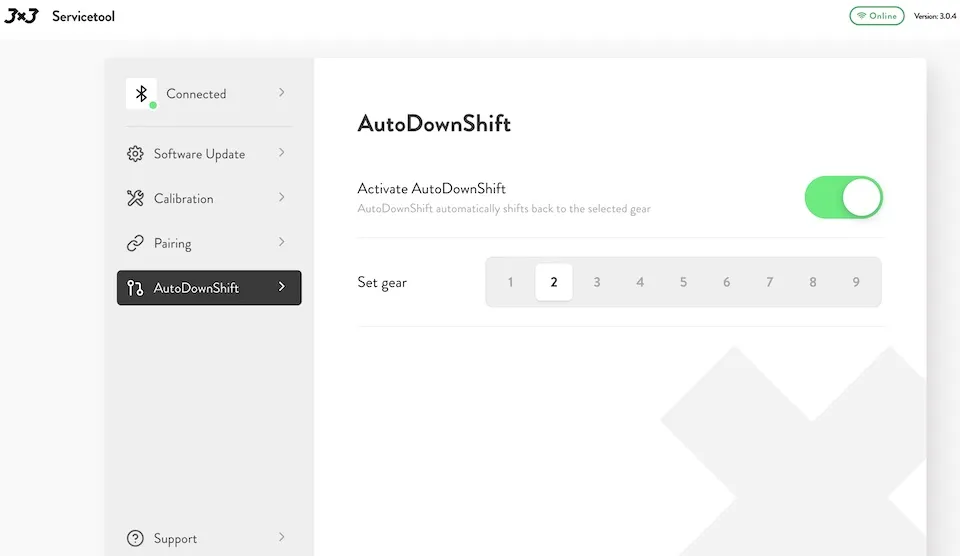
Tip: Riders carrying heavy cargo or frequently riding steep hills may prefer a lower starting gear, while those riding mostly on flat terrain may find a higher starting gear more comfortable.