This article refers to version 1.36 of the eBike Flow app and Tern electric bikes equipped with the Bosch Smart System. For the latest updates, visit the Bosch Content Hub.
The Bosch Smart System is an electric bike drive system designed to elevate your riding experience by prioritizing safety and convenience. Blending advanced hardware and intelligent software, this system is packed with handy features. Let’s see what it has to offer.
Contents
- What is the Bosch Smart System?
- Bosch Smart System displays and control units
- Bosch Smart System features and benefits
- eBike Flow app
- Smart System features on select Tern bike models
- Which Tern bikes have the Bosch Smart System?
- Summary
What is the Bosch Smart System?
The Bosch Smart System is an e-bike drive system that combines intelligent hardware and software to make riding safer, more convenient, and more connected. The system integrates the motor, battery, control unit, display, and eBike Flow app into a seamless riding experience.
Select Tern bike models also feature technologies like the ConnectModule, Bosch eShift, and ABS for even greater convenience, control, and ride quality.
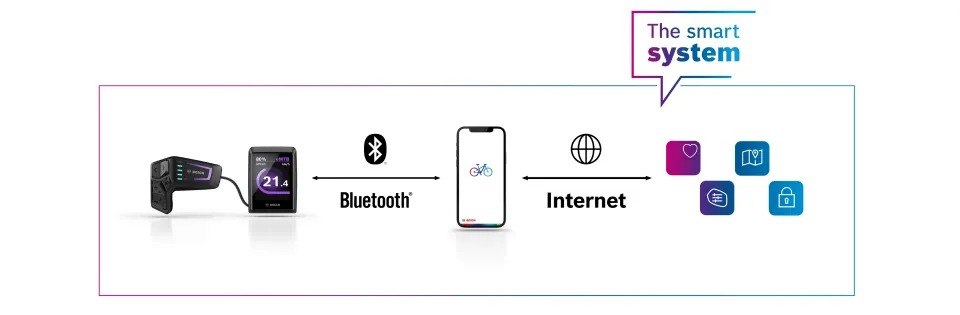
The Bosch Smart System streamlines hardware and software to create an advanced e-biking experience
Bosch Smart System displays and control units
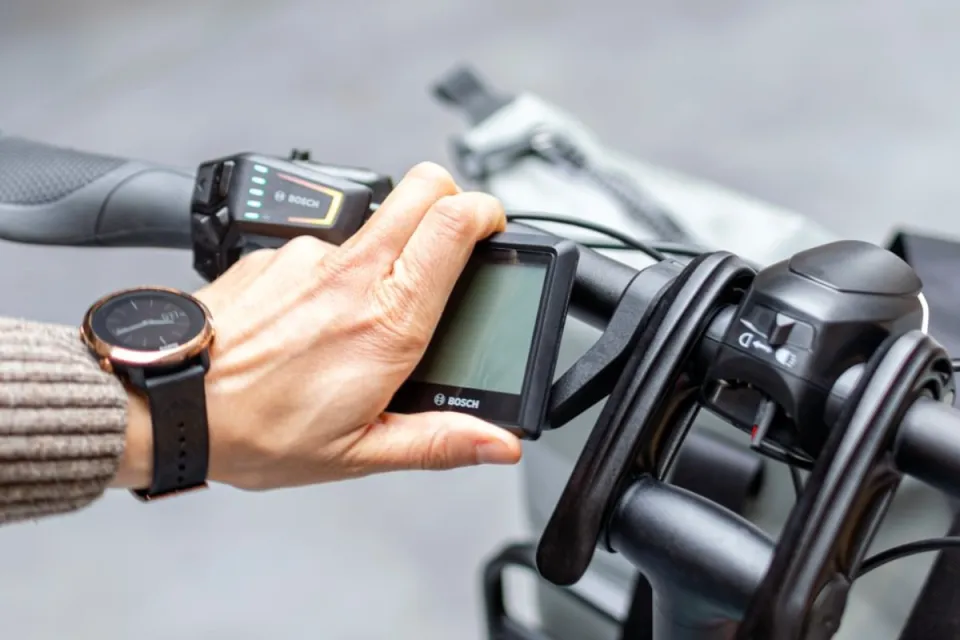
Tern bikes with the Bosch Smart System have different types of displays and control units that let you switch the system on and off, select assist levels, operate Walk Assist, and browse information on your display.
| 
|
|---|---|
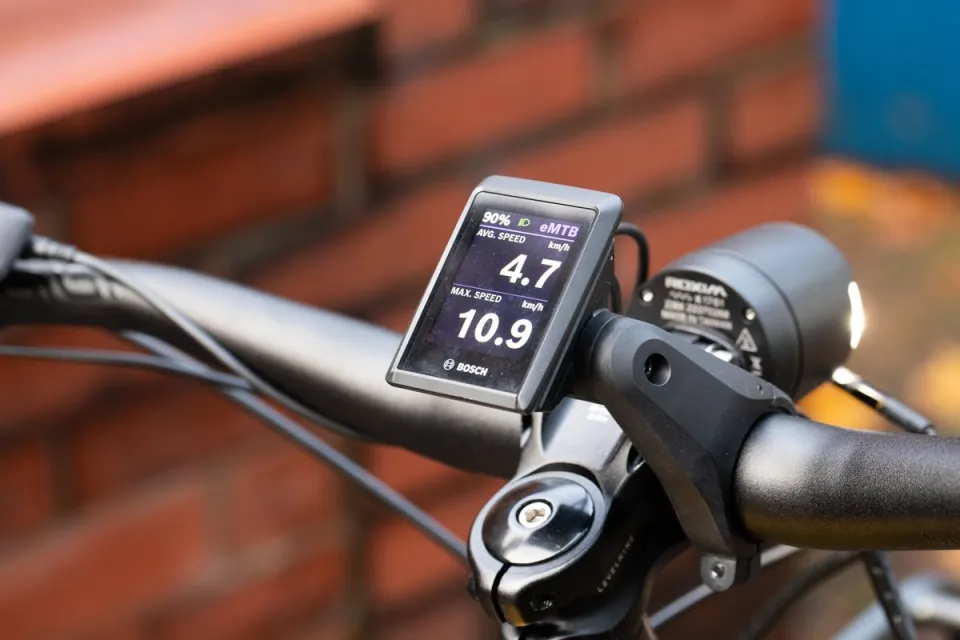
Kiox 300 display | Intuvia 100 display |
Kiox 300
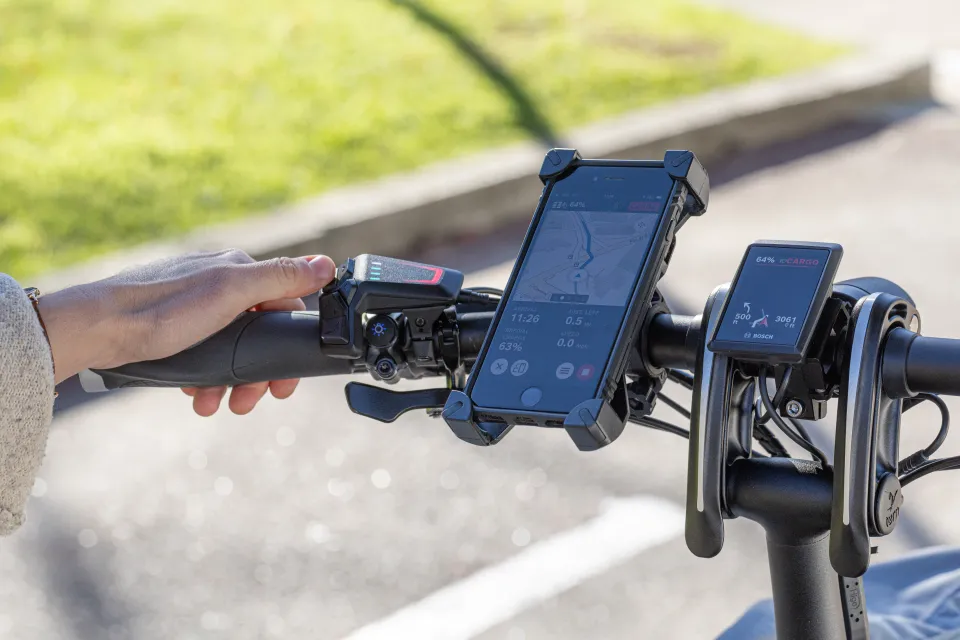
Kiox 300 is a color display that shows ride information such as speed, cadence, range, and trip data. Use the select button (♦) on the LED Remote to switch between the screens.
Some highlights:
- Range by assist level: Compare the estimated range for each riding mode at a glance.
- Riding style insights: See how your riding style compares with your target.
- Smartphone battery level: Check your connected phone's remaining battery without taking it out.
Get the details: Bosch Kiox 300 Display Settings for Tern Bikes
Intuvia 100
Intuvia 100 is a monochrome display with adjustable brightness and a simple layout that shows you all the essential information. This includes (total) distance, riding time, range, and average speed. Although the Intuvia is monochrome, the LED Remote will still change colors accordingly when switching between assist levels.
See how it works: Bosch Intuvia 100 Display Settings for Tern Bikes
| 
|
|---|---|
LED Remote with a smartphone and Kiox 300 display | Purion 200 display connected to the Flow app |
LED Remote
The LED Remote is a compact handlebar-mounted control unit and works together with a compatible display. It lets you switch between assist modes, navigate menus, and access key bike functions without taking your hands off the handlebar. LED indicators show your current assist mode and battery charge level.
Purion 200
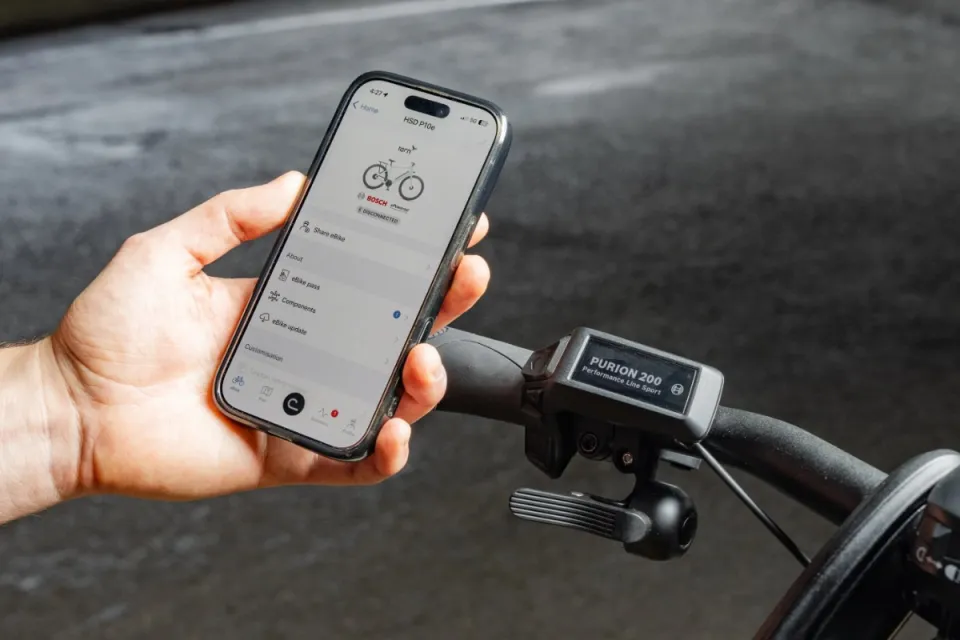
The Purion 200 combines the display and control unit into a single, compact device. Its color screen shows ride information such as assist mode, range, speed, and trip data, while Bluetooth connectivity lets you customize the display and access additional features through the Flow app.
Learn more: Bosch Purion 200 Display Settings for Tern Bikes
Bosch Smart System features and benefits
Precisely-tuned ebike assist levels
Assist levels, also known as riding modes, determine how much support the motor provides while you pedal. Every Tern e-bike with the Bosch Smart System has four assist levels. Depending on the model, these assist levels have different names.
What sets the Bosch Smart System apart is that you can make these assist levels your own. Using the eBike Flow app, you can fine-tune each riding mode’s characteristics to match your riding style. Whether you prefer maximum support, a more natural ride feel, or a balance between power and range, you can personalize the settings to suit your needs.
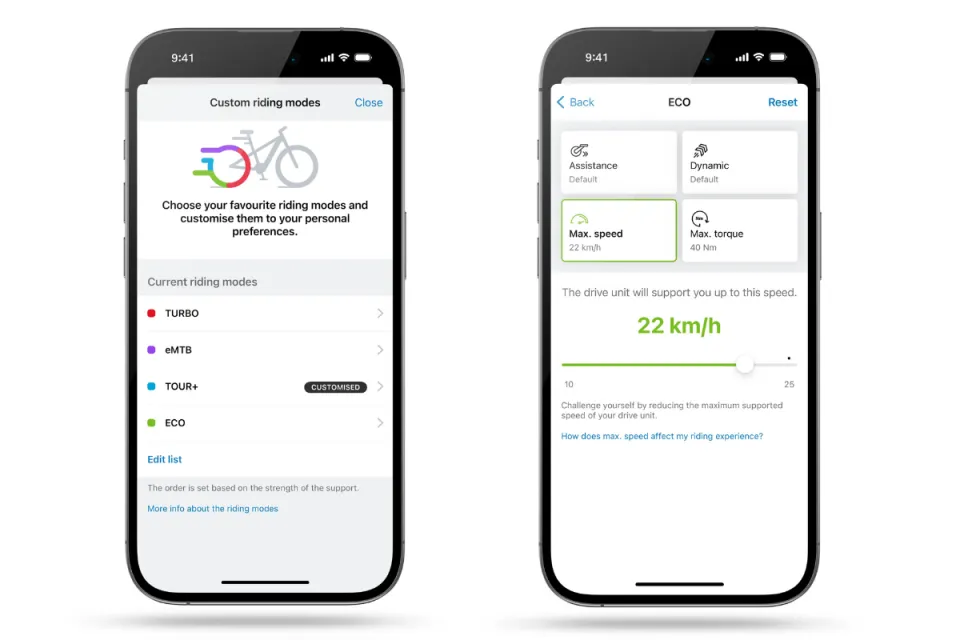
eBike Flow App showing the options for the riding mode (assist level) customization
Hill Hold for safer Walk Assistance
Walk Assistance is a feature on Bosch e-bike systems that provides a small amount of motor assist to help you push the bike when walking alongside it, especially useful on ramps, steep paths, or when the bike is loaded with cargo.
The Smart System makes this even better with Hill Hold. If you're using Walk Assistance and you start to roll backward, Hill Hold automatically kicks in and stops the wheels from moving. This temporarily keeps your bike in place, so you don't have to worry about it rolling away.
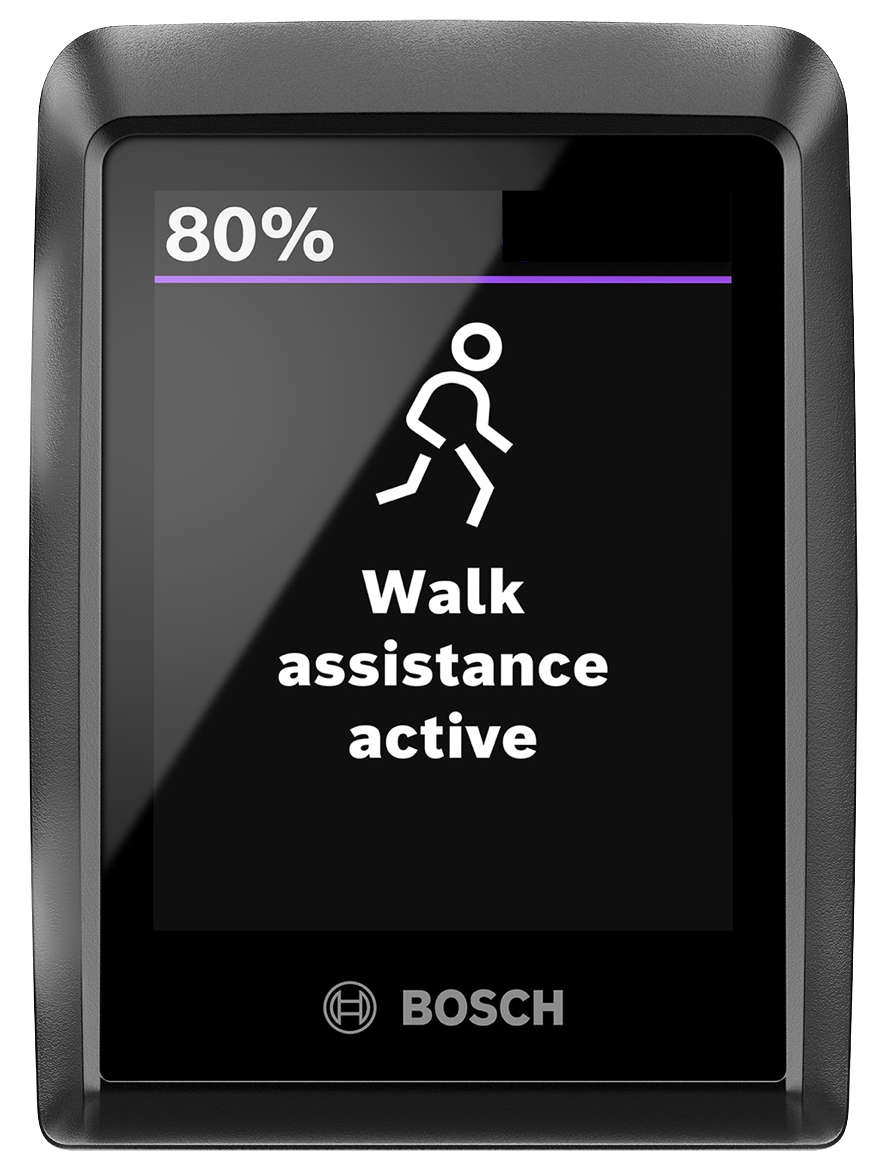
Walk Assistance screen on the Kiox 300 display
Smartphone connectivity
The Bosch Smart System lets your Tern bike connect to your smartphone through the eBike Flow app. This gives you access to connected features, personalized settings, and software updates that keep your bike up to date. Read on to learn more about the app and its features.
eBike Flow app
The eBike Flow app connects your smartphone to your Tern bike and gives you access to a range of connected features, from ride tracking and navigation to over-the-air updates and security. Some advanced features require a Flow+ subscription, a ConnectModule (built-in hardware for GPS and security features), or both.
eBike Lock
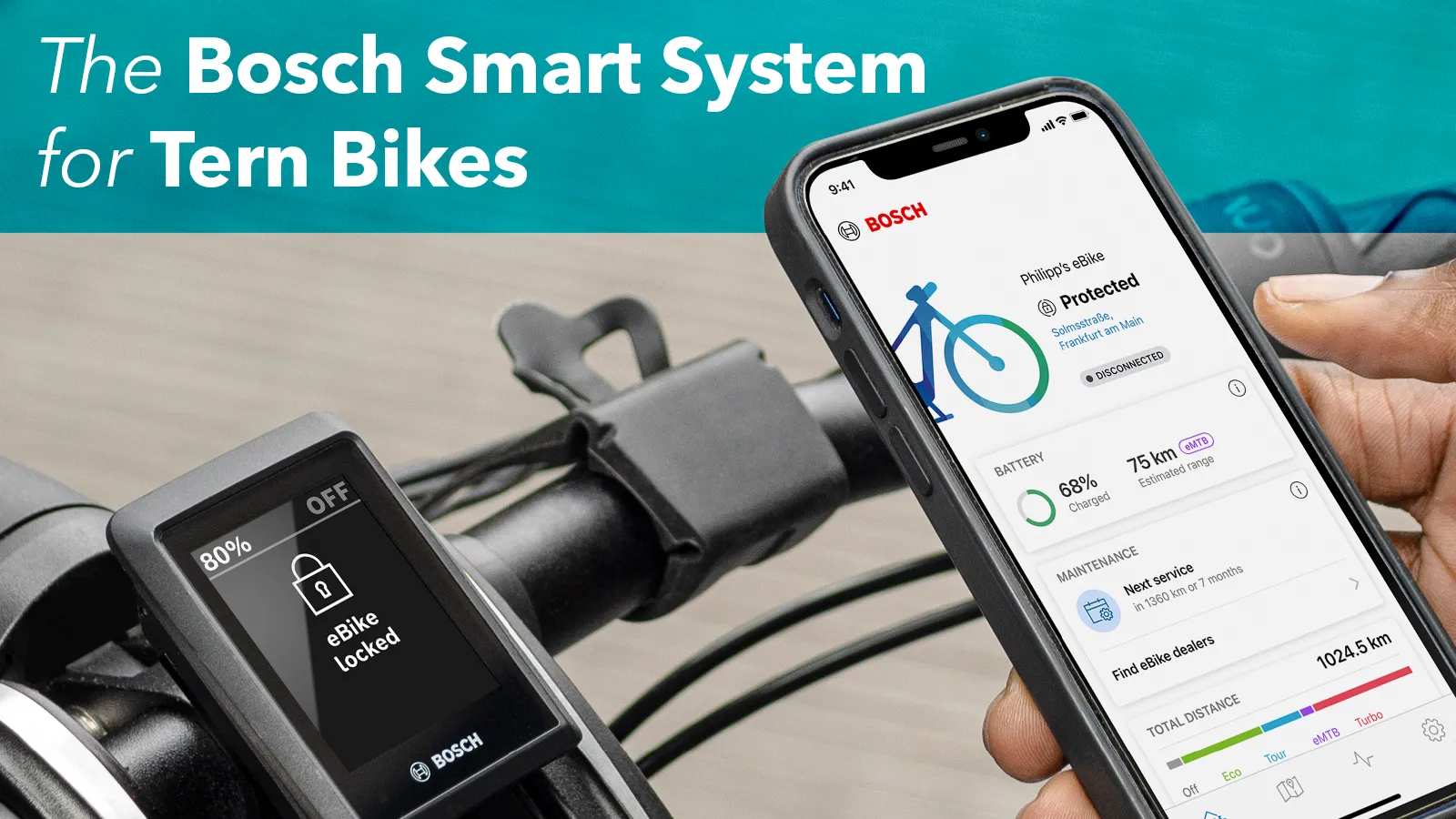
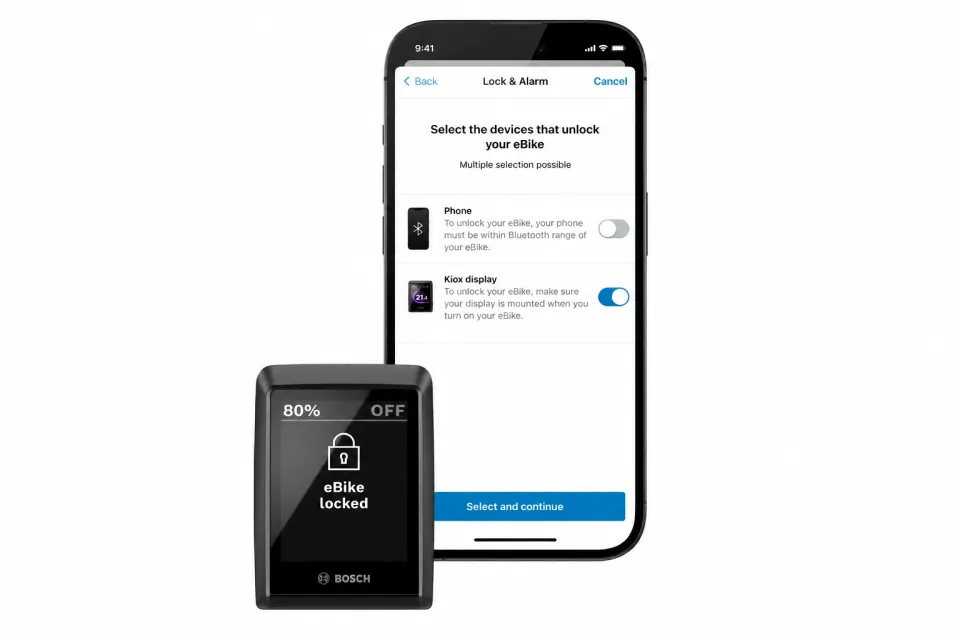
eBike Lock is a standard security feature on all Tern bikes with the Bosch Smart System. Once enabled, it prevents the motor from providing assistance until the bike is unlocked. To use eBike Lock, you must first enable it in the eBike Flow app after pairing your phone with your bike.
To lock the bike, switch off the system using the on/off button on your control unit. You can unlock your bike using your smartphone or, if your bike has a Kiox 300 display, removing it will also lock the bike, and reattaching it will unlock it.
Flow+ subscription
Flow+ is an optional subscription that unlocks premium features in the eBike Flow app, such as extended navigation and ride statistics. On bikes with a ConnectModule, it also includes eBike Alarm, GPS tracking, and battery status monitoring. Bikes with a ConnectModule include a free 12-month trial. Bikes without one come with a free 1-month trial.
After the free trial ends, Flow+ automatically renews as a paid subscription. You can choose monthly or yearly billing. Please note that subscription pricing varies by country. You can cancel at any time before the next billing cycle. Some of the key Flow+ features are explained in the following sections.
Explore more:
- Premium services for your eBike with the Flow+ subscription
- eBike Flow App Basic Settings for Tern Bikes
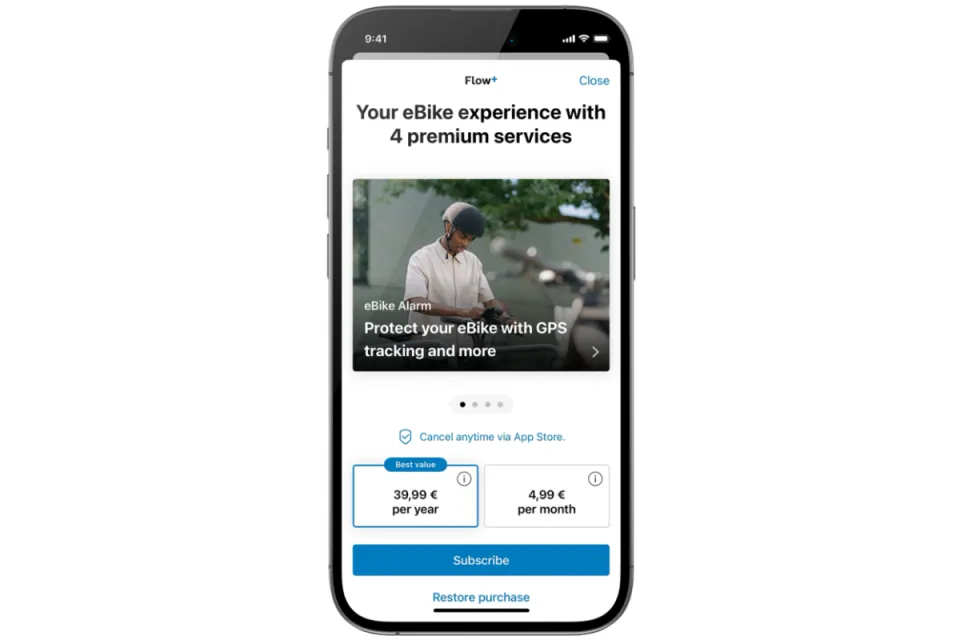
Flow+ subscription sign-up page—note that the subscription prices vary per region
eBike Alarm and GPS Tracking
eBike Alarm and GPS Tracking are available on Tern bikes with the ConnectModule and a Flow+ subscription. Once enabled in the Flow app, the system detects unexpected movement and triggers an alarm. If someone rides away with your bike, you'll receive a notification on your phone and be able to track its location in the Flow app. You can also mark the bike as stolen and share its location with Bosch.
Find out more: GPS Tracking on Tern Bikes
Report as Stolen
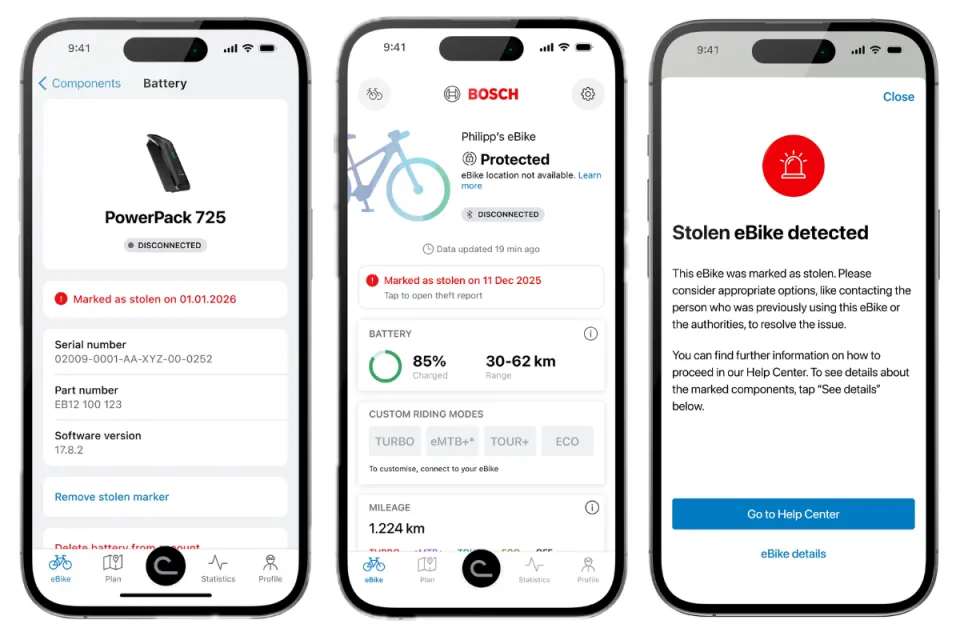
If your Tern bike or battery is stolen, you can mark either one as stolen in the eBike Flow app. This links it to you digitally and flags it throughout the Bosch Smart System. As a result, it becomes more difficult to register, resell, or service, helping deter theft and increasing the chances of recovery.
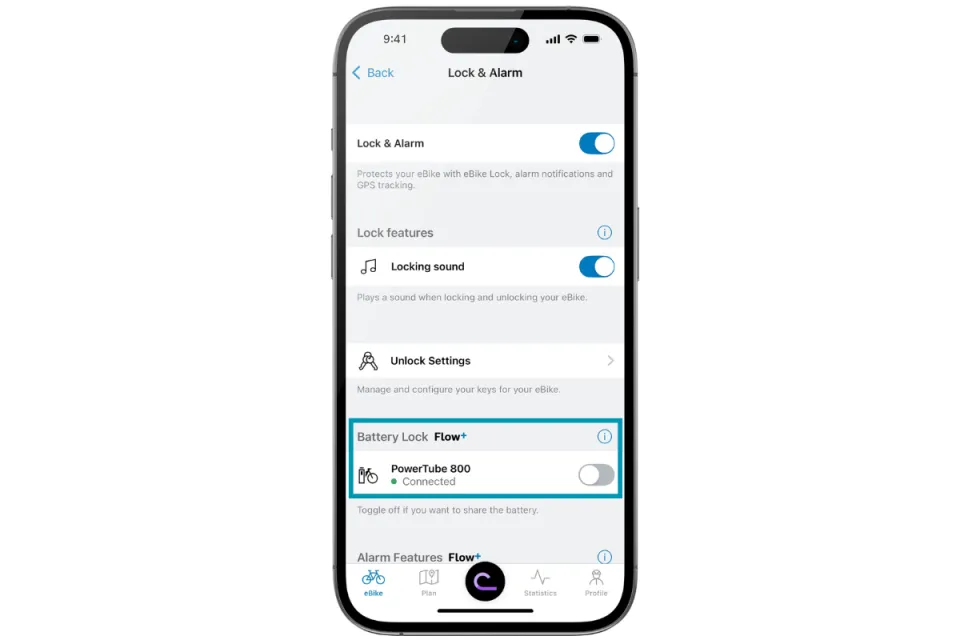
Battery Lock
Battery Lock is a feature that digitally links your e-bike battery to your Tern bike. Once it is enabled, the battery can only work with your bike. If someone steals your battery and uses it on another bike with the Bosch Smart System, the motor will not provide assistance.
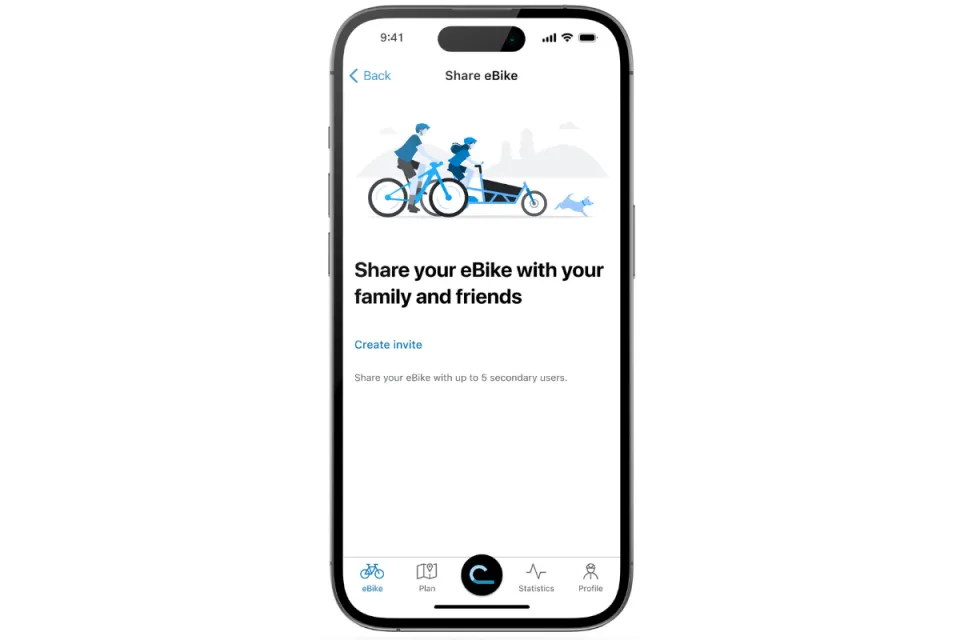
Share Your eBike
You can also share your bike with multiple users. The main user remains in control of the eBike Lock and Alarm, while other users can unlock and ride the bike. However, they cannot change security settings, receive theft notifications, or use location tracking. If eBike Alarm is enabled, the main user will be notified if the bike is moved and can also track its location.
Smart System features on select Tern bike models
Some Smart System features are available depending on the bike model or drivetrain.
Bosch eShift
Bosch eShift is an electronic shifting system that connects the Bosch Smart System with a compatible drivetrain. It coordinates the motor and gear changes to deliver smooth, precise shifting. Depending on the drivetrain, eShift can include the following features:
- Automatic shifting: The bike automatically shifts gears as terrain and speed change to maintain your preferred pedaling cadence, which you can customize to match your riding style.
- Automatic downshifting: Shifts into an easier starting gear when you come to a stop.
- Automatic shifting while coasting: Automatically shifts gears while you coast to help maintain your preferred cadence.
- Wireless electronic shifting: Replaces mechanical shift cables with electronic controls for fast, precise gear changes.
Bosch eShift is available on select Tern ebikes equipped with one of the following drivetrains:
Bike | Drivetrain | Key Bosch eShift features |
|---|---|---|
| GSD R14 (Gen 3) | Rohloff E-14 | Automatic and manual shifting, automatic shifting while coasting, automatic downshifting |
| HSD P10e and HSD P10e Sport | TRP E.A.S.I. | Automatic and manual shifting, wireless electronic shifting |
| HSD S9i and HSD S9i Sport | 3X3 NINE | Manual shifting, wireless electronic shifting, automatic downshifting |
Find out more:
ABS (Anti-Lock Braking System)
The GSD Gen 3 S10 and R14 electric cargo bikes come with Anti-Lock Braking System (ABS). The Bosch eBike ABS is a safety feature that prevents the front wheel from locking up during braking. By automatically regulating braking pressure, it helps riders maintain stability and control, reducing the risk of skidding or flipping over the handlebars—especially during sudden stops or on slippery surfaces.
More details: Everything You Need to Know About Bosch eBike ABS
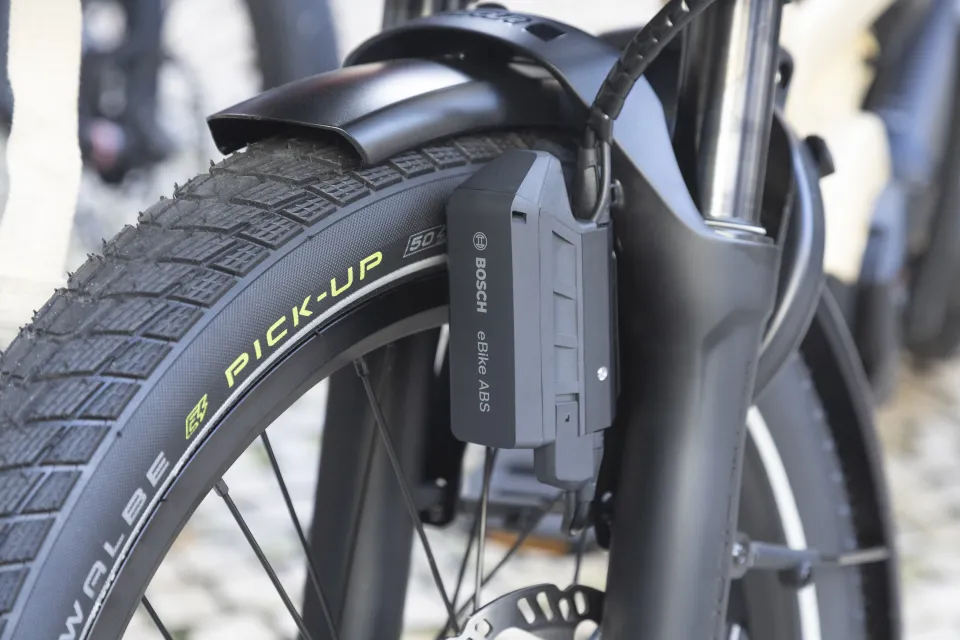
Bosch ABS control unit on the front wheel of a GSD Gen 3
Which Tern bikes have the Bosch Smart System?
*Model availability varies per region
Summary
The Bosch Smart System brings together powerful hardware and intelligent software to make your e-bike experience smoother, safer, and more connected.
With customizable assist levels, smart displays and control units, Hill Hold, and smartphone connectivity, it’s designed to give you the right support when you need it. Plus, with the Flow app’s built-in security features and an optional Flow+ subscription, you get even more control over your ride.
It might seem like a lot at first, but once you start using it, the system quickly becomes second nature. If you already have a Tern bike with the Smart System, Bosch has plenty of video guides to help you get the most out of it. And if you're still deciding, check how and why the Smart System could be right for you: