
Customizing TRP EASI on the Tern HSD P10e or HSD P10e Sport
The HSD P10e and HSD P10e Sport pair Bosch eShift with the TRP E.A.S.I. (Electronic Automatic Shifting Integration) drivetrain, bringing the convenience of automatic shifting to a traditional derailleur system.
Automatic shifting works by maintaining your preferred pedaling cadence. As your speed, terrain, and pedaling effort change, the drivetrain automatically shifts gears to keep you as close as possible to your selected cadence. This guide explains how to customize your preferred cadence and switch between Automatic and Manual riding modes.
Changing the default cadence
The default cadence is set to 75 rpm, but you can easily adjust this setting using the Purion 200 display.
Step 1: Open the eShift settings
1. Turn on the Purion 200 display.
2. Scroll to the Speed Indicator screen.
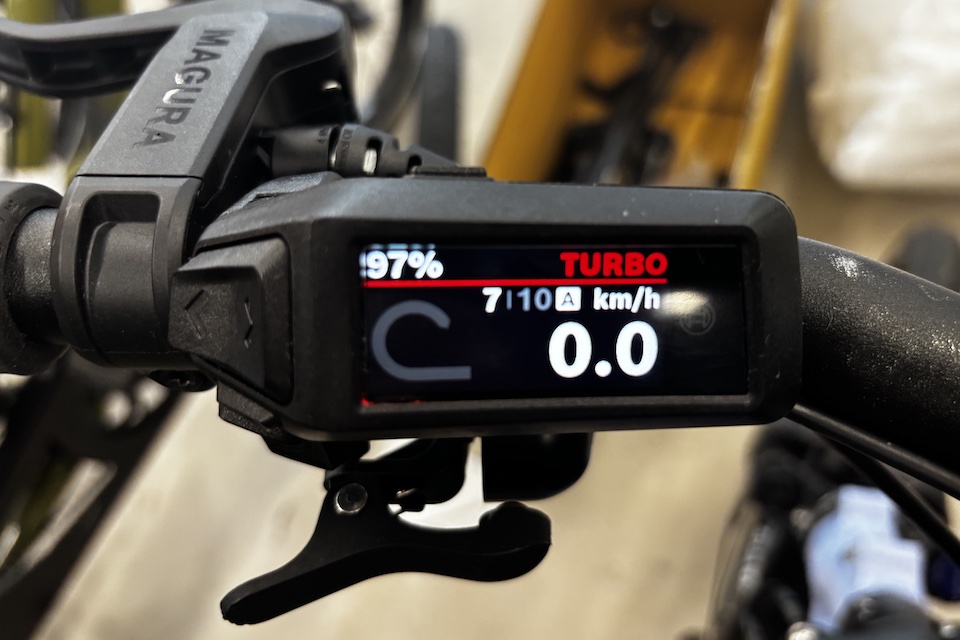
3. Press and hold the Select button.
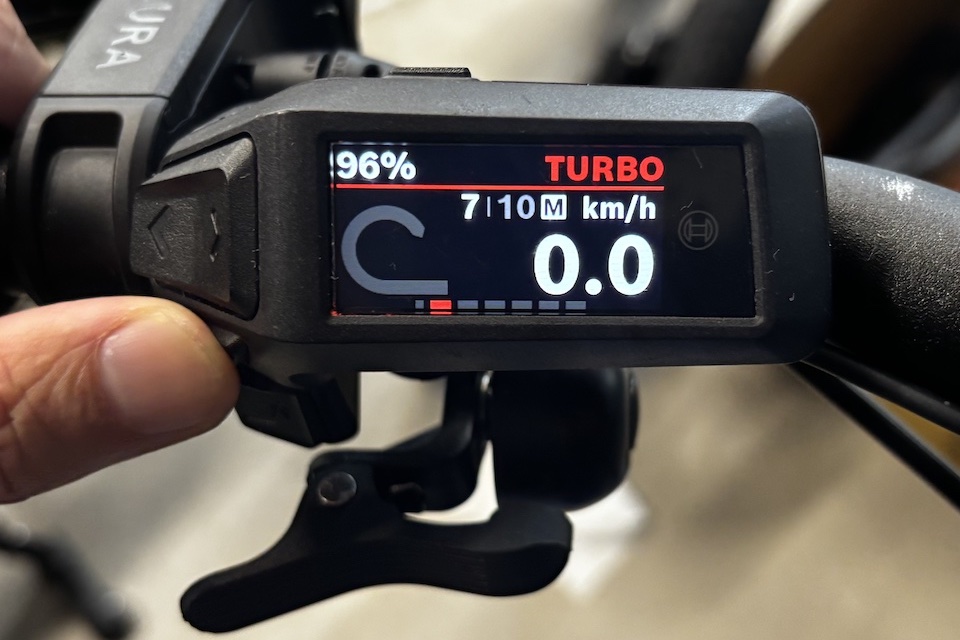
4. Scroll to eShift.
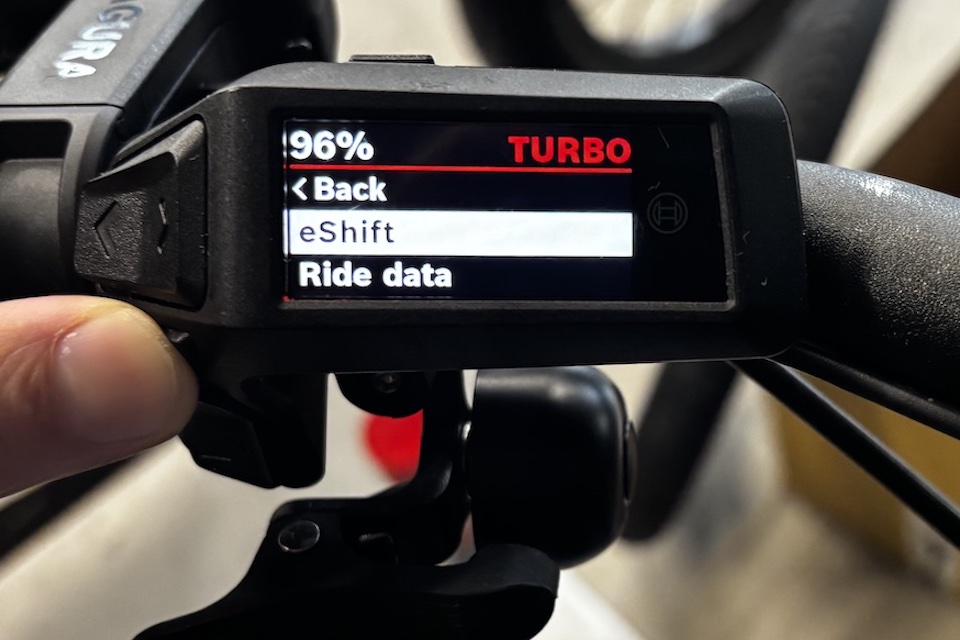
5. Press and hold Select to open the eShift menu. The current cadence setting will be displayed.
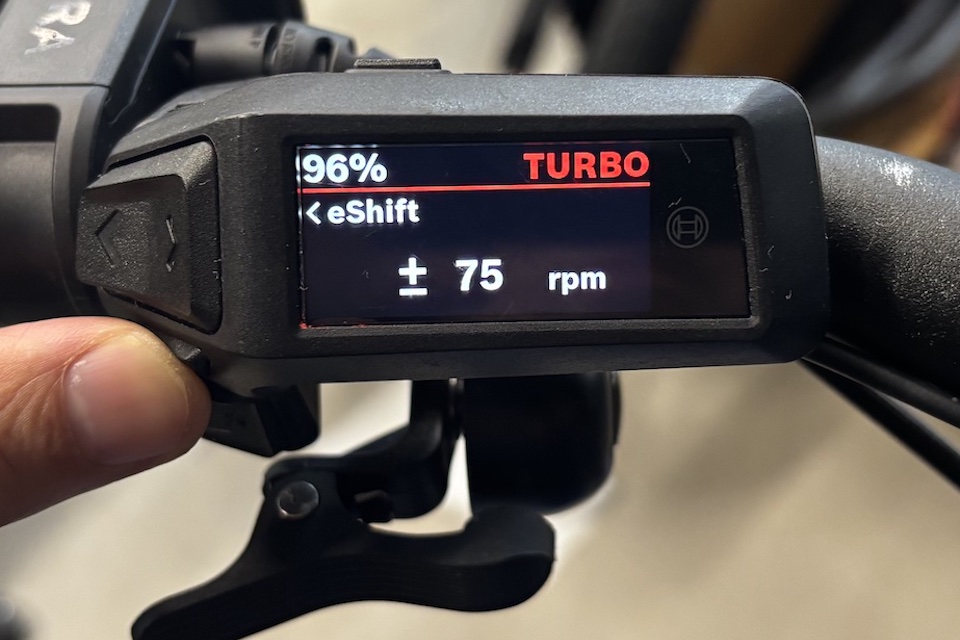
Step 2: Adjust your cadence
1. Use the + and – buttons to select your preferred cadence.
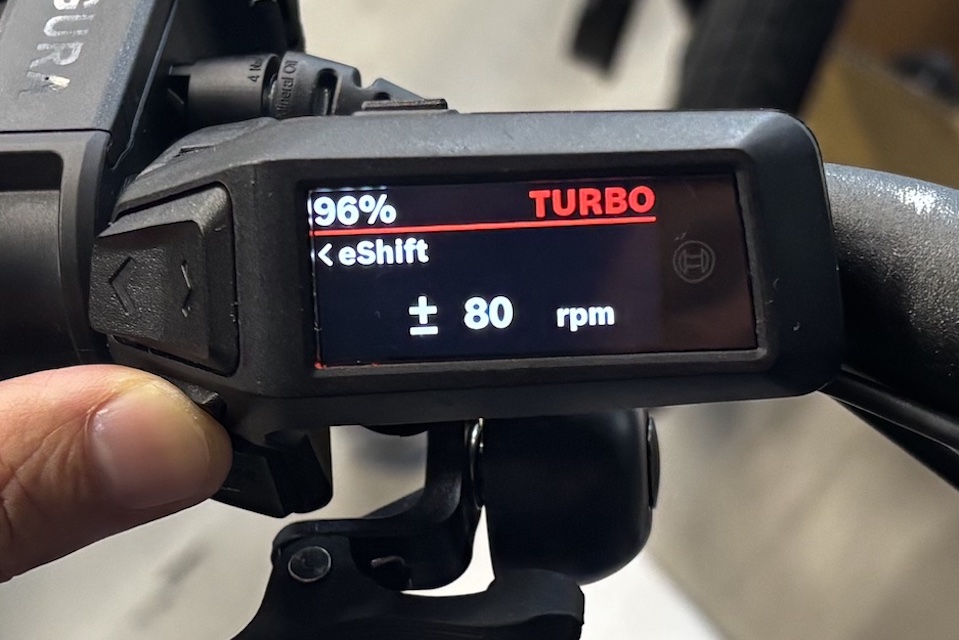
Press and hold Select to save the new setting. Your preferred cadence has now been updated.
Switching between automatic and manual modes
The TRP E.A.S.I. drivetrain allows you to switch between Automatic and Manual shifting at any time.
Step 1: Press the small Mode button on the shifter.
There is a small LED light that flashes once a mode change is detected.
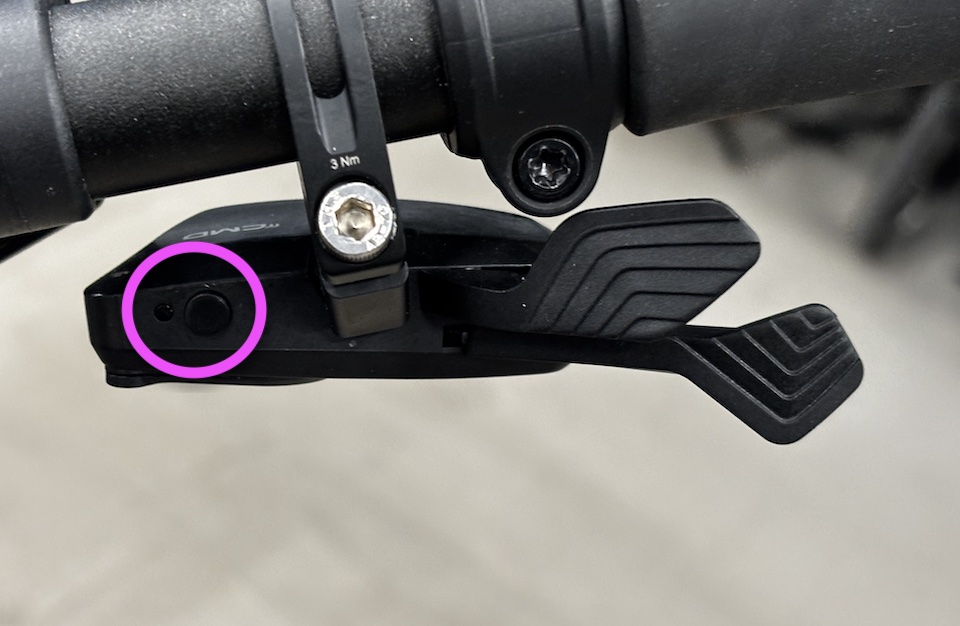
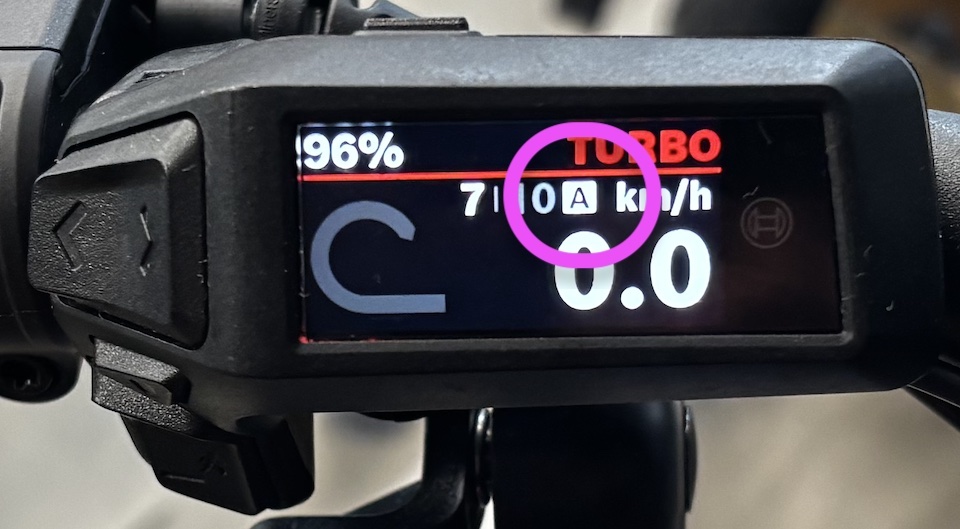
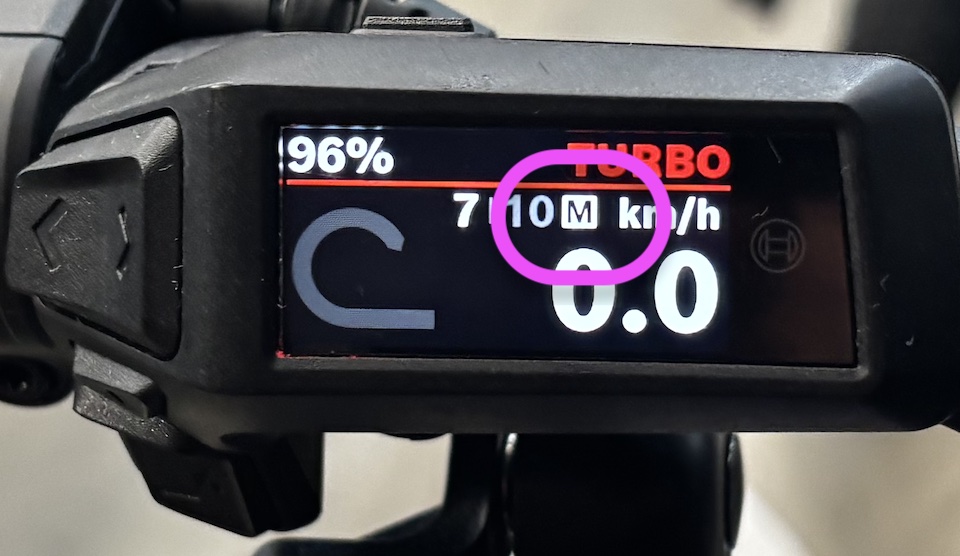
Each press toggles between Automatic (A) and Manual (M) modes. The active mode is shown on the Purion 200 display.
A = Automatic shifting
M = Manual shifting
Tip: Your preferred cadence is a personal preference, so don't be afraid to experiment. Try riding with different cadence settings for a few days to find what feels most comfortable for your riding style and terrain.
- Lower cadence (below 75 rpm): Fewer shifts and firmer pedaling with more pressure on the pedals.
- Higher cadence (above 75 rpm): More frequent shifts and lighter, faster pedaling.