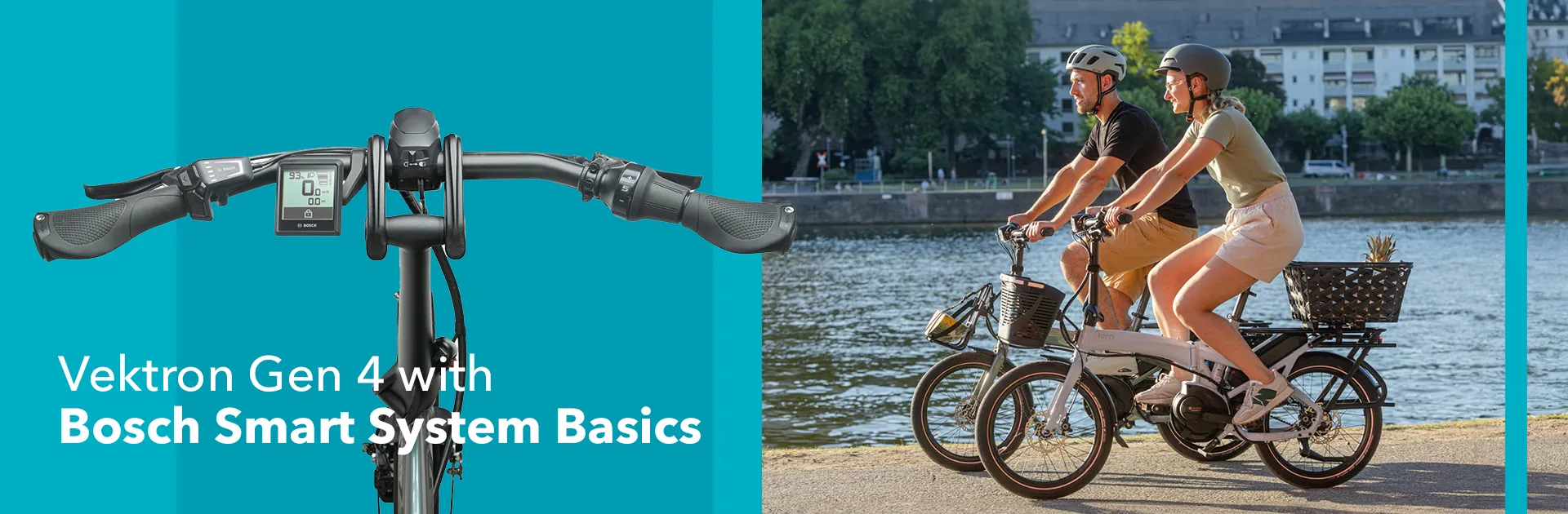
Tern Vektron Gen 4 Folding eBike with the Bosch Smart System: The Basics
This article only refers to Vektron Gen 4 models with the Bosch Smart System. Click here if you have a Vektron Gen 4 with the Bosch eBike System 2. Software updates and features are managed by Bosch and subject to change.
Thank you for choosing Tern, and congratulations on your all-new Vektron folding electric bike! We look forward to joining you for the ride! We want to make it easy for you to get on the road as soon as possible, so we’ve prepared this guide to help you every step of the way. But if you prefer a video walkthrough, check out our Owner Briefing on YouTube.
Let’s get started!
Contents
1. Introducing the Vektron Gen 4
Riders of the Tern Vektron Gen 4 enjoy a refined folding ebike that pairs the Bosch Smart System with Tern’s patented frame and fold. Balancing portability with confident handling, it delivers smooth, reliable pedal assist for commuting, travel, or daily use. Now in its 4th generation, the Vektron adds thoughtful upgrades—including a highly requested Gates Belt Drive—for a dependable ride that’s easy to take anywhere.
2. Adjusting the bike fit
2.1. Adjusting the saddle height
Open the quick-release levers on the seatpost to adjust the Vektron’s saddle height. Be sure not to go beyond the minimum insertion markings on the tube, as doing so may compromise safety and stability.
Start by adjusting the top section, then move to the bottom. Once you’ve found the right height for you, secure the levers tightly. If you notice that the seat is shifting a bit after securing the quick-release lever, it’s possible that the clamp is not tight enough. Simply turn the clamp’s screw nut to tighten it, and you’re good to go.
2.2. Adjusting the Andros Stem
The Tern Vektron features an Andros Stem, which lets you easily adjust the handlebar position for optimal comfort. To use it, open one lever at a time, set the stem and handlebars to your preferred position, then close both levers securely.
3. Bosch Smart System
The Vektron folding ebikes with the Bosch Smart System include these models: P5i, P7i, P8i, and P10.
The Vektron is a pedelec
Before you go out and about on your Vektron, we’d like to remind you that the Vektron is a pedal-assisted electric bicycle—pedelec for short. This means that the Bosch motor will only provide power while you pedal. The motor will stop providing power once you have reached the speed limit set by your local authority.
3.1. Intuvia 100 display and LED Remote
Tern Vektron models with the Bosch Smart System use the Intuvia 100 display with LED Remote.
- Powering on/off: The on/off button is located on the top of the remote. Keep your feet off the pedals when turning it on to prevent unexpected acceleration.
- Startup notification: Upon turning on the ebike system, a notification will remind you to avoid distracted riding. Dismiss it by pressing the Selection (⬥) button.
- Display information: Once activated, the display shows key details such as battery level, assist level, and more.
3.2. Assist levels
Use the plus (+) and minus (—) buttons to switch between Eco, Tour, Auto, and Turbo assist levels. In Auto mode, the motor automatically adjusts the levels based on terrain and wind conditions, helping you focus on the road. Use the left and right (</>) buttons to browse the display pages.
3.3. Lighting system
Your Vektron is equipped with front and rear lights. Press and hold the (+) button to switch the lights on or off. A light icon will appear on the display when the lights are on. You can also slide the switch on the front light left or right to turn the front light on or off individually.
Reminder
To activate the lights using the LED Remote button, ensure the switch is in the "on" position. If you prefer to use only the rear light, slide the front light switch to "off."
3.4. Battery and charging
Your Vektron comes with a Bosch e-bike battery and charger. To install the battery, slide it into the battery mount and push it down until you hear a click. The click means that the battery is locked in place.
Charging the battery ON the bike:
- Locate the charging port on the Vektron’s drive side.
- Lift the rubber tab and plug the charger into the bike before plugging it into an electrical outlet.
Charging the battery OFF the bike:
- Remove the battery from the bike by inserting and turning the key in the lock to release the battery.
- Lift the battery out of the mount, and plug the charger into the battery. The lights on the battery itself will indicate the charge level.
3.5. Keys and key number
Your bike comes with identical keys to unlock both the battery and the frame lock. For safekeeping, we recommend emailing the key number to yourself and registering your keys with the lock manufacturer. They will need the key number to order the replacement key for you. In addition, when you sign up for Tern Care, we recommend entering your key number as part of the registration process.
3.6. eBike Flow app
The eBike Flow App is a handy extra tool for operating the Bosch Smart System. It lets you lock your e-bike, customize motor performance and riding modes, download over-the-air updates, and much more.
You can download the eBike Flow app via Google Play or the App Store. After installation, click “Connect Now” on the home page, select “LED Remote”, and hold down the power button on the LED Remote. Follow the instructions until the bike is paired with your phone.
For more detailed information about the Flow app, check out Bosch’s YouTube playlists or our article on the Flow App basic settings.
3.7. Walk Assist and Hill Hold
Walk Assist is a feature that powers the Vektron’s motor at walking speed to help you push the bike uphill. Hill Hold is a Bosch Smart System feature that automatically keeps the bike from rolling backward for a few seconds when Walk Assist is on. This is how you use it:
- Ensure the bike is in one of the four assist levels. Walk Assist will not activate if the motor system is set to "Off."
- Press and hold the (–) button to activate Walk Assist.
- When the display says to move forward, start walking. Keep holding the (—) button, or the assist will stop. Hill Hold is automatically activated when you use Walk Assist. If you stop moving forward on a slope, Hill Hold will engage for a few seconds to prevent your bike from rolling back.
- To stop Walk Assist, release the (—) button and wait 10 seconds, or press the (+) button.
4. Changing gears
The Vektron folding ebike comes with shifters that help you modify pedaling resistance. The shifting mechanism varies depending on your bike model.
4.1. Trigger shifter (P7i, P10)
The P7i and P10 have a trigger shifter. Push the shifter levers to change to a higher or lower gear. The indicator will tell you which gear you’re in. The lower the gear, the lighter the pedaling. The higher the gear, the harder the pedaling.
4.2. Twist shifter (P5i, P8i)
The P5i and P8i have a twist shifter. Twist the shifter forward and backward to change gears. The lower the number, the lighter the pedaling. The higher the number, the harder the pedaling.
4.3. Internally geared hub
The “i” in your bike model’s name indicates that your Tern Vektron has an internally geared hub. The benefit of having an internal hub is that you can shift gears at a standstill, which is helpful in case you forgot to downshift before stopping at a traffic light. However, internal hubs are not designed for shifting under load, so be sure to stop pedaling when shifting gears.
We highly recommend shifting gears as you would on a non-electric bike: downshift when stopping or climbing a hill, and upshift when accelerating or going downhill. This keeps your cadence smooth and helps prevent premature wear on the drivetrain.
5. Brakes
Your Vektron is equipped with hydraulic disc brakes on both the front and rear, providing strong and reliable stopping power.
Seen from the rider’s position, the right lever controls the rear brake, and the left lever controls the front brake. In some countries, this setup may be reversed, so check before your first ride if you’re unsure.
Brake pads are consumable parts and will need replacing over time. Their lifespan will depend on factors like how often you ride and how much weight you're carrying, so be sure to keep an eye on their condition.
6. Folding, rolling, and parking
6.1. How to fold the Vektron
- Remove any accessories from the bike that may hinder folding.
- Rotate the crank arm until the left pedal points downward at a 45-degree angle.
- Lower the saddle completely, and turn it slightly counterclockwise.
- Adjust the Andros Stem so that it faces upward.
- Disengage the kickstand and unlock the OCL+ frame joint by pushing the red latch, and lift the lever.
- Hold the handlebars and pull the front of the bike back. Make sure that the magnet on the fork engages with the rear magnet.
- Fold the handlepost down by releasing the handlepost joint.
- Secure the handlepost with the rubber strap.
6.2. How to roll and park the Vektron
You can vertically park and roll the folded Vektron.
Rolling
To roll your folded Vektron, extend the Telescopic Seatpost, lift the front of the bike, and push it forward.
Parking
- To vertically park the Vektron, carefully lift the folded bike backward until it rests on the rear rack ends.
- To park the folded Vektron lengthwise, ensure that the bike rests on the Underframe Support.
In both cases, please ensure that the bike rests on a flat surface. Keep in mind that the Vektron can only be vertically parked when completely folded.
6.3. How to unfold the Vektron
- Release the handlepost strap and unfold the handlepost, making sure the handlepost joint locks in place.
- Turn the handlebars to disengage the magnet.
- Pull the bike’s front end up to unfold the frame, then secure the frame joint by closing the lever.
- Engage the kickstand and adjust the Andros Stem and seatpost to your desired position.
- If you’ve removed the pedal, remember to reattach it before securing the plastic ring.
See the Vektron fold in action—check out our step-by-step instructions on YouTube to fold and unfold with confidence!
7. Max Gross Vehicle Weight
The Vektron folding electric bike has a Max Gross Vehicle Weight (MGVW) of 125 kg, or 276 lb. This means that the combined weight of the bike, accessories, rider, and any cargo must be less than 125 kg. If you’d like to know which Tern accessories are compatible with the Vektron, read our Vektron Accessory Guide.
8. Daily riding checklist
Before every ride, give your bike a quick check—look over your tire pressure, brakes, battery, chain, cables, and quick-release points. For the full rundown, watch our daily riding checklist video, and don’t miss our basic maintenance tips to keep your bike in top shape.
9. Ready for the ride?
Here you go! You now have all the basic knowledge to get started with your new Tern Vektron electric folding bike. If anything’s unclear, you can revisit this article, the Owner Briefing, check the Vektron QuickStart Guide, or visit your nearest Tern dealer. You could also browse our Frequently Asked Questions about the Vektron.
And don’t forget—we’d love to hear from you! Join our Tern Riders' Club Facebook group and share your adventures. See you there, and enjoy the ride!